WHAT IS Clinical Laboratory Improvement Amendments (CLIA) in Medical Billing? A Healthcare IT & Compliance Perspective

Introduction In today’s healthcare ecosystem, laboratory information systems (LIS), electronic health records (EHRs), and reimbursement workflows are tightly interconnected. Among the most important regulatory frameworks governing laboratory data and test billing is the Clinical Laboratory Improvement Amendments (CLIA). While CLIA is commonly discussed from a compliance and medical billing standpoint, it is equally critical from a healthcare IT perspective — influencing data structure, interoperability, laboratory workflow automation, and how test results integrate into broader clinical systems. This article explains CLIA through the lens of healthcare IT. We cover what CLIA is, how certification works, why it matters to EHRs and medical billing software, and the IT safeguards required for compliant lab data exchange across healthcare platforms. =========================================== 1. What Is CLIA and Why Does It Matter in Healthcare IT? =========================================== CLIA establishes federal standards for all U.S. laboratories performing human diagnostic testing. While most think of CLIA as governance for laboratory personnel and test procedures, healthcare IT plays a crucial role in: In short, CLIA is both a compliance framework and a critical IT requirement for accurate and secure lab reporting. =========================================== 2. The Three Levels of Test Complexity and Their IT Implications =========================================== Each CLIA certificate corresponds to a level of allowable test complexity: 1. Certificate of Waiver (Waived Tests) Covers simple point-of-care tests (POCT) such as: IT Relevance 2. Moderate Complexity Certificate Allows more advanced analytical equipment, such as automated analyzers. IT Relevance 3. High Complexity Certificate Covers molecular genetics, microbiology, and other advanced diagnostics. IT Relevance Healthcare IT must dynamically enforce these rules to prevent billing errors and maintain compliance. =========================================== 3. Where CLIA Intersects With Medical Billing Technology =========================================== CLIA influences multiple parts of the healthcare IT ecosystem: 1. EHR to Billing System Data Flow When a test is ordered or resulted: 2. Automated Claim Scrubbing Modern billing platforms use rule engines that: This reduces denials dramatically. 3. Clearinghouse Requirements Clearinghouses validate: Healthcare IT must ensure clean data transmission to avoid claim rejections. 4. Integration With Laboratory Information Systems (LIS) LIS platforms coordinate: Incorrect CLIA classification in LIS can propagate errors across the entire system. =========================================== 4. Why CLIA Matters for IT Security & Auditability =========================================== Healthcare IT teams must ensure that their systems support CLIA audit preparedness. 1. Access Control Management Only authorized lab personnel should: Role-based access is required for CLIA compliance. 2. Data Integrity and Result Validation Systems must prevent: Audit logs must record every action. 3. Secure Transmission of Results HL7 messages containing lab data must be encrypted to protect PHI. 4. Compliance Documentation Availability Systems must store: These must be accessible during CLIA inspections. =========================================== 5. Healthcare IT Best Practices for CLIA Compliance =========================================== 1. Maintain Up-to-Date CLIA Numbers Across All Systems EHR, LIS, and billing software must sync the correct CLIA number for each testing location. 2. Automate QW Modifier Application Billing rules engines should insert QW on waived tests automatically. 3. Use LOINC and SNOMED for Lab Result Coding This ensures interoperability and reduces payer rejections. 4. Implement Multi-Level Validation for Test Orders Systems should prevent: 5. Monitor CLIA Expiration Dates Healthcare IT should establish automated reminders for certificate renewals. 6. Protect Data Through Encryption & Access Controls Proper cybersecurity safeguards are required for CLIA and HIPAA compliance. =========================================== 6. Common CLIA-Related IT Mistakes =========================================== 1. Using the Wrong CLIA Number When Multiple Sites Exist Each location has a unique certificate — mismatches are common and costly. 2. Failing to Update Systems After Certificate Renewal Outdated certificates cause rejections. 3. Missing Modifier QW in Automated Billing A top reason for payer denials. 4. LIS and EHR Not Aligned on Test Complexity Level Results may appear valid clinically but fail technically. 5. Sending Claims Before Lab Results Are Finalized Incomplete data violates CLIA and payer rules. =========================================== 7. How Healthcare IT Will Evolve With Future CLIA Requirements =========================================== Upcoming trends include: Healthcare IT will become even more central to CLIA compliance and laboratory billing accuracy. Conclusion CLIA plays a vital role in ensuring high-quality laboratory testing and accurate reimbursement. While traditionally viewed as a compliance or laboratory operations requirement, CLIA deeply affects healthcare IT systems, influencing how lab data is stored, transmitted, validated, coded, and billed. From automated modifier management to encrypted HL7 messaging and claim scrubbers that enforce test complexity rules, healthcare IT teams must ensure that their systems fully support CLIA compliance. Understanding CLIA from both a regulatory and IT perspective protects organizations from billing denials, audit findings, and workflow disruptions—ultimately supporting safer, more reliable patient care.
Top 5 Common AdvancedMD Login Issues and Their Solutions: A Complete Troubleshooting Guide for 2025
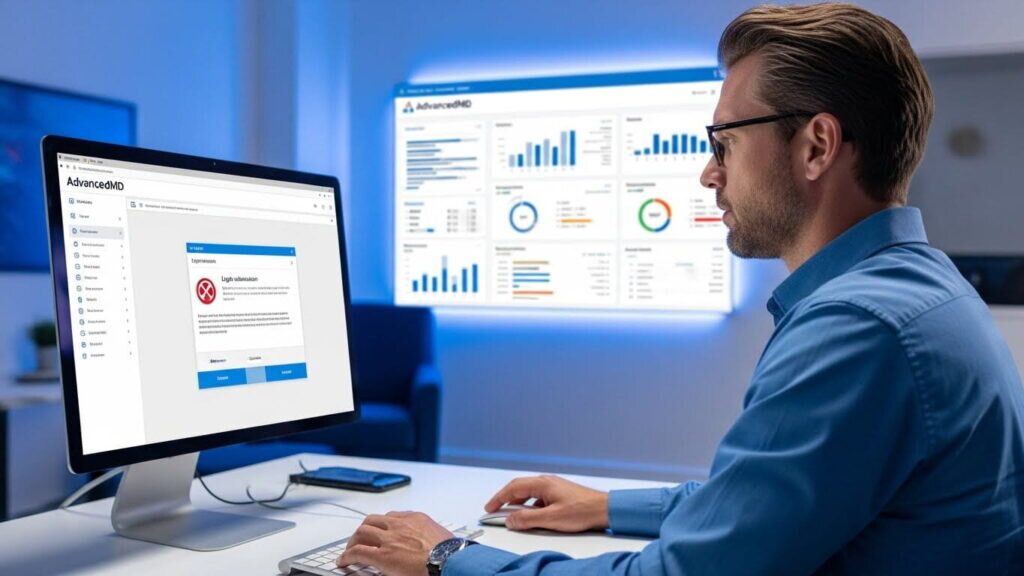
Introduction AdvancedMD is one of the most widely used cloud-based practice management and electronic health record (EHR) platforms in the United States. It supports medical billing, scheduling, telemedicine, patient portals, and clinical documentation. Because of its central role in daily operations, any login issue—no matter how small—can disrupt workflows, delay patient care, and interrupt billing activities. This comprehensive troubleshooting guide explores the five most common AdvancedMD login issues, why they occur, and how to resolve them efficiently. Whether you are a provider, medical biller, administrator, or IT support staff member, this step-by-step resource will help you diagnose and fix login problems quickly, ensuring your practice stays productive and compliant. =========================================== 1. Incorrect Username or Password Errors =========================================== This is the most common issue users encounter when attempting to log in. AdvancedMD uses strict authentication rules to protect patient information, meaning even a small mistake can trigger an error. Causes Solutions 1. Verify Case Sensitivity Passwords in AdvancedMD are case-sensitive. Ensure that: 2. Use the “Forgot Password” Feature Resetting the password often resolves the issue immediately.Admin users may need to unlock accounts manually. 3. Check Password Expiration AdvancedMD requires periodic password updates for HIPAA compliance. 4. Contact the System Administrator Admins can: Prevention Tips =========================================== 2. Two-Factor Authentication (2FA) Failures =========================================== Two-factor authentication is required for all AdvancedMD users for enhanced security. However, 2FA issues commonly prevent successful login. Causes Solutions 1. Confirm Code Accuracy Codes expire quickly—enter them within the valid window. 2. Check Device Time Sync Authenticator apps require correct system time.Enable automatic time settings on your device. 3. Resend Verification Code If SMS/email delays occur, click “Resend Code.” 4. Use Backup Authentication Methods If your device is unavailable, admins may: Prevention Tips =========================================== 3. Browser Compatibility and Cache Issues =========================================== AdvancedMD is cloud-based and works best in modern, updated browsers. Browser-related issues can mimic login failures. Causes Solutions 1. Use a Supported Browser Best options include: Avoid Internet Explorer, which AdvancedMD no longer supports. 2. Clear Cache and Cookies Old cache data can block login attempts.Clear your browser’s: 3. Disable Browser Extensions Extensions like ad-blockers or script blockers may interfere. 4. Open in Incognito Mode Incognito mode disables most extensions and cached files. Prevention Tips =========================================== 4. Network and Connectivity Problems =========================================== Since AdvancedMD is cloud-hosted, stable internet access is essential. Causes Solutions 1. Check Internet Speed Minimum recommended speed: 2. Restart Router or Switch Networks Sometimes a simple network refresh resolves the problem. 3. Disable VPN Temporarily VPNs may route traffic through restricted geographical zones. 4. Contact IT Support to Whitelist URLs AdvancedMD requires specific domains to be accessible. Prevention Tips =========================================== 5. AdvancedMD Server or System-Wide Outages =========================================== Although infrequent, outages can occur due to maintenance, updates, or unexpected disruptions. Causes Solutions 1. Check AdvancedMD System Status Page This page often lists: 2. Contact Support AdvancedMD support can confirm: 3. Avoid Multiple Login Attempts Repeated attempts may trigger temporary security blocks. Prevention Tips =========================================== Bonus: Administrator-Level Solutions =========================================== For IT administrators, resolving login issues may require: 1. Reviewing User Access Levels Inactive or suspended accounts cannot authenticate. 2. Checking Security Policies Password expiration frequency and 2FA enforcement may block access. 3. Confirming Network Whitelisting Ensure allowed URLs include: 4. Monitoring User Logs Identify repeated failed logins or suspicious activity. =========================================== Why These Issues Occur in Healthcare IT Environments =========================================== Healthcare systems must comply with strict regulations like HIPAA.This means: While these safeguards prevent breaches, they often complicate user access. =========================================== Conclusion AdvancedMD is a powerful healthcare IT system, but login issues can disrupt essential workflows across clinical, administrative, and billing departments. By understanding the five most common login problems—credential errors, 2FA issues, browser problems, network restrictions, and system outages—organizations can quickly restore access and maintain productivity. Proactive IT management, staff training, and system monitoring ensure that users experience fewer disruptions and better overall platform performance. This troubleshooting guide empowers users and IT leaders to keep AdvancedMD running smoothly, protect patient data, and support uninterrupted healthcare delivery.